
A simple registry TRICK TO BLOCK USB drives (do it with care)
1. Go to Start –> Run, type Regedit.
2. Go to HKEY_LOCAL_MACHINE\System\CurrentControlset\Servic es\USBStor
3. In the right pane, look for value Start and which have value as 0000000(3)
4. Double click on that and change that value to 4.
You might be required to restart the PC, and then you are done with it, USB is now blocked.
In case if you want to get the USB unblocked, just change the value again to 3
Subscribe via email


I have more than one GMail Account, one for blogging purpose and other for my Programming purposes. Now i have found this trick from where i can change the 'From field' and send an email from any of my account. It doesn't matter in which account i'm logged in.
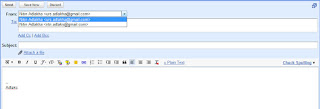
How to do this:

How to do this:
- Login and goto Setting, Click Account and Import tab.
- Under "send email as", click send email from another address.
- A window will popup, it will ask you to enter the other email which you want to integrate.
- It will now send a verification code and a link to the email address specified.
- Sign In to the other GMail Account and click on the verification link or paste the verification code.
- That's it. you're done!


